Most config languages focus on configuration authors, not the programmers working with configuration objects at the AST level.
Say you want to sort a specified list field's members. The AST APIs for most languages either hurt your head or are so simplistic that they strip comments and reformat the whole file. Here's an sdin struct before and after such sorting:
# Before sorting.
developers: {
	Data.Members: [
		'Charlie'
		'Frank'    # intern, until the end of year
		'Alice'
	]
}
# After sorting.
developers: {
	Data.Members: [
		'Alice'
		'Charlie'
		'Frank'    # intern, until the end of year
	]
}
Notice how Frank's comment remained correctly attached. The code for this is only a few lines of Go that you can find in the #Nodes1 section.
This page describes sdin, a new configuration language whose primary focus is a simple AST API, achieved by limiting the syntax. For example, the struct field names must be identifiers, there is only one type of comment, the field name and value must be on the same line, etc. I started from JSON and added/removed features for human convenience, but only those that didn't add unnecessary complexity to its API.
I built it for my @/sdinthrough coding challenge as an educational language, which was the motivation for keeping the implementation simple. I ended up liking it and now use it everywhere I can (also known as Stockholm syndrome).
This is pretty much the full reference for sdin, so it's long and dense. It has a lot of Go code samples because the API is where this language's focus lies; that's what I want to showcase.
Table of contents:
sdin is Turing-incomplete; it just describes a tree-structured object. As a sneak peek, here's what a complex config from the coding challenge looks like:
#% stdemo.SkipJSONEmit()
Vars: {
	HealthCheck: {Path:'/health' Interval:30s Timeout:5s Retries:3}
	RetryPolicy: {MaxAttempts:5 Backoff:'exponential'}
}

Title: 'High Availability redundant setup'

Clusters: {
	# Expanded, JSON-style:
	Primary: {
		Name:        'us-east-1-prod'
		Endpoints:   ['10.0.1.5:8080' '10.0.1.6:8080']
		HealthCheck: stdemo.Var(HealthCheck)
		RetryPolicy: stdemo.Var(RetryPolicy)
	}

	# Flat, sdin-style:
	Secondary.Name:        'us-west-2-prod'
	Secondary.Endpoints+:  '10.0.2.5:8080'
	Secondary.Endpoints+:  '10.0.2.6:8080'
	Secondary.HealthCheck: stdemo.Var(HealthCheck)
	Secondary.RetryPolicy: stdemo.Var(RetryPolicy)
}
Why yet another configuration language?
I wanted a nice configuration language as the subject of my @/sdinthrough coding challenge. None of the existing ones had the exact qualities I was looking for in this educational setting, so it was easier for me to create my own rather than degrade the challenge with details I didn't want to include. And for a long time, I've been wanting to create my own language as an exercise, too.
Other than its API and format-preserving manipulation, is there anything else interesting in this language?
Forms, which are a Lisp-like chimera of structs (named values) and lists (nameless values). Structurally they are similar to KDL nodes, but forms are more generic and have a different syntax.
Is sdin only for configuration?
No. sdin itself just describes a tree, and the parser gives you an AST to process however you like. That makes it a good building block for DSLs; with forms you can even implement a simple programming language on top of it, though that's not its intended purpose.
What is the biggest downside of sdin?
It's up to the application that's processing sdin to give meaning to bare tokens and forms. It's semantically similar to XML, where the meaning is imbued externally too. This makes portability a big issue, but in exchange it provides great flexibility if an sdin config has a single consumer only.
Does sdin suffer from the Norway problem?
No, unless you make the no, false, 0, and "false" tokens all mean the same thing.
My $LANGUAGE has a very nice AST library (hclwrite, tomlkit, toml_edit, ruamel.yaml, etc.). What's wrong with it?
All of them have rough edges to deal with the language's idiosyncrasies because they appeared after the language's spec. In sdin, the syntax was molded such that its Go API is clean.
Does sdin have broad ecosystem support?
No. It's my hobby project, and I only have a Go implementation. But I do have an extensive test suite for implementors at @/sdinthrough.
What does
sdinstand for?
Dunno. Let's go with Structured Data Input Notation.
How can I try it?
Use my Go package from https://pkg.go.dev/github.com/ypsu/sdin. Or you can try running the formatter and see what parses:
$ cat hello.sdin
Greeting:'Hello'
Target:'World'
$ go run github.com/ypsu/sdin/cmd/sdin@latest format <hello.sdin
Greeting: 'Hello'
Target:   'World'
sdin removes some fluff from JSON, then re-adds other fluff. Let me rush through the basic syntax so that it doesn't get in the way later.
Enclosing braces? Gone. sdin supports parsing implicit structs.
{
	"StringField": "StringValue",
	"ListField": [1, 2, 3],
	"Number": 3
}
"StringField": "StringValue",
"ListField": [1, 2, 3],
"Number": 3
Quotes around struct fields? Gone.
"StringField": "StringValue",
"ListField": [1, 2, 3],
"Number": 3
StringField: "StringValue",
ListField: [1, 2, 3],
Number: 3
Commas? Gone.
StringField: "StringValue",
ListField: [1, 2, 3],
Number: 3
StringField: "StringValue"
ListField: [1 2 3]
Number: 3
I'm providing a formatter tool too because I'm a sucker for visually aligned columns:
# Unformatted sdin.
StringField: "StringValue"
ListField: [1 2 3]
Number: 3
# Formatted sdin.
StringField: "StringValue"
ListField:   [1 2 3]
Number:      3
Unlike in JSON, sdin allows comments:
StringField: "StringValue"
ListField: [1 2 3]
Number: 3
# Comments begin with the # symbol.
StringField: "StringValue"  # Comments can follow values.
ListField:   [1 2 3]        # The formatter aligns them too.
Number:      3
Unlike in JSON, values can be "bare tokens", which are semantically different from strings.
A bare token is a run of non-reserved symbols (anything except whitespace, :, #, ', ", {, }, [, ], (, )).
sdin doesn't have the concept of booleans (or numbers, even); it works at a lower abstraction layer, but more on this in the tokens section.
# These values are all different.
Boolean: false
Country: no
String:  'no'

# You can use any non-reserved symbol in bare tokens.
Date:  2026-12-30
Email: alice@example.com

# This list has two elements:
FileList: [/usr/bin/true /usr/bin/false]
sdin supports the + field annotation for specifying lists succinctly, similarly to repeated fields in textprotos.
It's just a bit of syntactic sugar because I find long lists of structs confusing to read, especially if the list spans more than a screen's worth of lines.
Album: {
	Artist: "The Beatles"
	Title:  "Let It Be"
	Tracks: [
		{
			Title:    "Two of Us"
			Duration: "3m36s"
		}
		{
			Title:    "Dig a Pony"
			Duration: "3m54s"
		}
	]
}
Album: {
	Artist: "The Beatles"
	Title:  "Let It Be"
	Tracks+: {
		Title:    "Two of Us"
		Duration: "3m36s"
	}
	Tracks+: {
		Title:    "Dig a Pony"
		Duration: "3m54s"
	}
}
And there's a dot notation for deeply nested structures:
Album: {
	Artist: "The Beatles"
	Title:  "Let It Be"
	ReleaseDate: {
		Year:  1970
		Month: May
		Day:   8
	}
	Tracks+: {
		Title:    "Two of Us"
		Duration: "3m36s"
	}
	Tracks+: {
		Title:    "Dig a Pony"
		Duration: "3m54s"
	}
}
Album.Artist:            "The Beatles"
Album.Title:             "Let It Be"
Album.ReleaseDate.Year:  1970
Album.ReleaseDate.Month: May
Album.ReleaseDate.Day:   8
Album.Tracks+: {
	Title:    "Two of Us"
	Duration: "3m36s"
}
Album.Tracks+: {
	Title:    "Dig a Pony"
	Duration: "3m54s"
}
Note that both the flat lists and flat structs must be contiguous; otherwise they wouldn't be pure syntactic sugar. The following two structs are invalid:
$ cat flat_list.sdin
ExampleStruct: {
	ListField+:  1
	StringField: "x"
	ListField+:  2
}

$ sdin format flat_list.sdin
sdin.ParseFile file=flat_list.sdin: sdin.RedefinedFlatField line=4 name="ListField" prevline=2
Error: sdin.FileFormattingFailed files=[flat_list.sdin]
$ cat flat_struct.sdin
ExampleStruct: {
	StructField.Number1:  1
	OtherNumber:          3
	StructField.Number2:  2
}

$ sdin format flat_struct.sdin
sdin.ParseFile file=flat_struct.sdin: sdin.RedefinedFlatField line=4 name="StructField" prevline=2
Error: sdin.FileFormattingFailed files=[flat_struct.sdin]
The flat struct syntax is the primary reason that the field names must be identifiers in structs and cannot contain symbols.
Otherwise parsing a line like A.1.2: B would get complicated very fast.
Is it representing A:{1:{2:B}} or A:{1.2:B}?
I use such paths often when I write tools, so I wanted a language that prevents me from doing crazy stuff.
sdin has four string syntaxes, each for a different use case, just as a hardware store has fifty kinds of screws, each for a different use case.
Literal strings with single quotes represent strings verbatim but cannot contain single quotes or newlines. They are recommended for strings written by humans:
LiteralString: 'string value'
Go-style quoted strings can encode anything with escaping. They are recommended for strings generated by code:
QuotedString: "string with newline:\nand with double quotes: \""
Raw strings are in the format of '''tag|content'''.
The content of the string is the raw bytes between the pipe symbol and the closing quotes.
The number of quotes can increase if the content contains multiple single quotes.
tag is an arbitrary string (no newlines or pipe symbol though) for adding metadata to the string.
File: {
	Content: '''go|package main

func main() {
	return
}
'''
}

TaglessRawString: '''|The tag is optional but the pipe isn't.'''
Multiline strings are in the format of '''tag↲...''' where ↲ means newline.
The formatter maintains the indentation of this string based on the indent of the closing quotes, so the closing quotes must be on their own line.
The value of the string is the content between the first newline and the closing quotes with the indentation removed, so the resulting string always ends with a newline.
This is the recommended format for most multiline strings; use raw strings for anything this format can't express nicely.
# Before formatter:
File: {
	Content: '''go
package main

func main() {
	return
}
'''
}

EmbeddedQuotes: '''''
			Use five or more quotes if the text has '''' in it.
			'''''
# After formatter:
File: {
	Content: '''go
		package main

		func main() {
			return
		}
		'''
}

EmbeddedQuotes: '''''
	Use five or more quotes if the text has '''' in it.
	'''''
Tags have no meaning to sdin itself, but tools can use them.
For example, the formatter recognizes sdin-tagged strings and reformats their content as sdin:
# Before formatter:
InnerSDIN:'''sdin
Sentence: {
Greeting:'Hello'
Target:'World'
}
'''
# After formatter:
InnerSDIN: '''sdin
	Sentence: {
		Greeting: 'Hello'
		Target:   'World'
	}
	'''
The content of the other strings is left as is: the formatter doesn't run go fmt on go-tagged strings.
sdin supports {...} structs and [...] lists just like JSON.
However, sdin also supports tagname(...) forms.
They're basically a mix of structs and lists: you can have both named values and nameless values in them.
Names are the tokens that end with a colon; they are the field names in {...} structs, while in [...] lists all values are nameless.

You can use them where you would need sum types:
Alert: {
	Name:    HighLatency
	Expr:    'p99 > 500ms'
	Notify+: email('oncall@example.com' Subject:'p99 latency spike')
	Notify+: slack('#alerts' Mention:@oncall)
	Notify+: pagerduty(Service:web Severity:critical)
}
Note that HighLatency, @oncall, web, and critical are all "bare tokens" (not strings) that consist only of non-reserved symbols (no spaces, comment markers, parens, etc.).
More on this in the tokens section.
For reference, in JSON, this would look visually noisier:
"Alert": {
	"Name": "HighLatency",
	"Expr": "p99 > 500ms",
	"Notify": [
		{"Type":"email", "To":"oncall@example.com", "Subject":"p99 latency spike"},
		{"Type":"slack", "Channel":"#alerts", "Mention":"@oncall"},
		{"Type":"pagerduty", "Service":"web", "Severity":"critical"}
	]
}
Forms can nest just like structs and lists:
Backup: {
	Path:     '/var/lib/db'
	Schedule: cron('0 3 * * *')
	Retain:   max(days(30) count(10))
	Target:   s3('backups/db' Region:eu-central-1 Encrypt:kms(Alias:'backup-key'))
}
Forms don't automatically convert to ordinary types. You need to work with the AST to process them. In exchange, the config structure remains simple and easy to refactor while all logic is in high-level code. See the Processing forms 2 section for example code that converts the Alert example to JSON.
The field names in forms are no longer restricted to identifiers; they can be any bare token because the flat syntax doesn't cross forms. This is valid:
BuildCop: OndutyConfiguration(
	Aliases(
		alice@: 'Alice Alicious'
		bob@:   'Bob Bobicious'
	)
	Schedule(
		2026-10-19.0600: alice@
		2026-10-26.0600: bob@
	)
)
Forms turn out to be quite expressive. Part of the @/sdinthrough challenge is to implement various DSLs. One example in the challenge is encoding sdin schemas:
Date: struct({
	Year:  int(checks.IntRange(1900 2100))
	Month: identifier(checks.MatchToken('Jan|Feb|Mar|Apr|May|Jun|Jul|Aug|Sep|Oct|Nov|Dec'))
	Day:   int(checks.IntRange(1 31))
})

# const(typename value) defines a constant.
# Errors out if `value` doesn't satisfy `typename`'s schema.
ReferenceDay: const(Date {Year:2006 Month:Jan Day:2})
Fair warning: if you overuse forms, your config will start looking like Lisp, and your data might stop being simple configuration.
Directives are #% comments that tools can interpret specially.
Each #% line must be a valid sdin form value.
One example is the formatter's directive to keep a list sorted:
# Before formatter:
#% sdin.KeepSorted()
UserList: [
	charlie
	alice
	dave
	frank
	bob
]
# After formatter:
#% sdin.KeepSorted()
UserList: [
	alice
	bob
	charlie
	dave
	frank
]
Another example was in the #FullExample section: it used stdemo.SkipJSONEmit(), which indicated that the field should be stripped when converting to JSON.
stdemo.SkipJSONEmit() is not an sdin feature; rather, it's something your tool can easily implement.
This concludes the language tour; the rest of this page focuses on the API side.
sdin takes a somewhat unorthodox approach to bare values:
SimpleNumber:        123
NumberLikeToken:     123_456
Enums:               [January February May]
Boolean:             true
Requirements.Memory: 100MB
Requirements.Disk:   unlimited
A bare token can be anything consisting of letters, numbers, and symbols (except whitespace, colons, braces, etc.). sdin doesn't define what these values represent. The types into which the tokens are parsed define the meaning of the tokens.
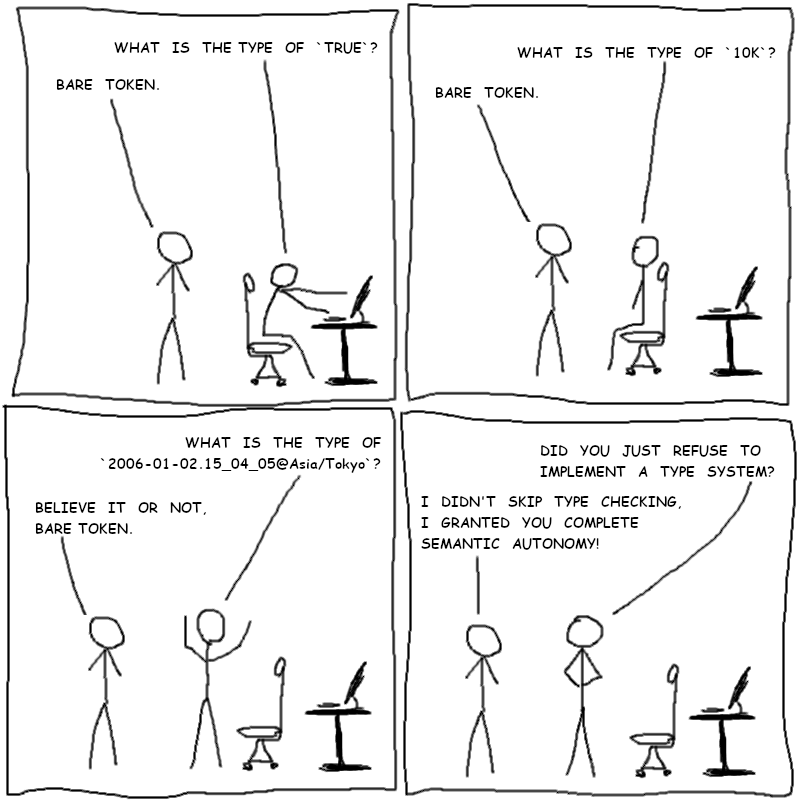
Suppose you want to ensure that byte-limit fields like Memory or Disk are either unlimited or a number that ends in B as in 1024B or 1KB.
You would support this with a custom Bytes type that implements the FromSDINToken and IntoSDINToken methods:
type Bytes int64

func (v *Bytes) FromSDINToken(t sdin.Token) error {
	...
}

func (v *Bytes) IntoSDINToken() sdin.Token {
	...
}

type Requirements struct {
	Memory Bytes
	Disk   Bytes
}

func main() {
	r, err := sdin.Unmarshal[Requirements](`Memory:8GB Disk:unlimited`)
	if err != nil {
		fmt.Printf("UnmarshalFailed: %v\n", err)
		os.Exit(1)
	}

	fmt.Printf("As requirements struct: %+v\n", r)
	fmt.Printf("As sdin again:          %s\n", sdin.NewNode("", &r))
	fmt.Println(sdin.Unmarshal[Requirements](`Memory:1024`))
	fmt.Println(sdin.Unmarshal[Requirements](`Memory:true`))
	fmt.Println(sdin.Unmarshal[Requirements](`Disk:'unlimited'`))

	// Output
	// As requirements struct: {Memory:8000000000 Disk:-1}
	// As sdin again:          {Memory:8GB Disk:unlimited}
	// {0 0} sdin.IntoForUnmarshal: sdin.TokenInto line=1 path=Memory: sdin.FromSDINToken type=*main.Bytes: InvalidBytesToken token="1024": must be an integer with a B suffix
	// {0 0} sdin.IntoForUnmarshal: sdin.TokenInto line=1 path=Memory: sdin.FromSDINToken type=*main.Bytes: InvalidBytesToken token="true": must be an integer with a B suffix
	// {0 0} sdin.IntoForUnmarshal: sdin.TokenInto line=1 path=Disk: sdin.FromSDINToken type=*main.Bytes: InvalidBytesToken token="'unlimited'": must be an integer with a B suffix
}
Notice how the Bytes type is just an int64, yet the sdin package can smoothly convert the unlimited token to the -1 number, while returning an error for unexpected tokens.
The function for that is this:
func (v *Bytes) FromSDINToken(t sdin.Token) error {
	if t.Repr() == "unlimited" {
		*v = -1
		return nil
	}
	suffixes := []string{"TB", "GB", "MB", "KB", "B"}
	multipliers := []int64{1e12, 1e9, 1e6, 1e3, 1}
	for i, sf := range suffixes {
		if s, ok := strings.CutSuffix(t.Repr(), sf); ok {
			num, err := strconv.ParseInt(s, 10, 64)
			if err != nil {
				return fmt.Errorf("ParseInteger token=%q: %v", t.Repr(), err)
			}
			*v = Bytes(num * multipliers[i])
			return nil
		}
	}
	return fmt.Errorf("InvalidBytesToken token=%q: must be an integer with a B suffix", t.Repr())
}
The function receives sdin.Token, which is just a string of the bytes as they appeared in the input (hah, the name Structured Data Input Notation does seem fitting after all).
sdin.Token has a bunch of helper methods, but you can get the raw string with .Repr(), and parse it with ordinary code.
The above function also enforces that the string must end with B, and computes the correct byte amount based on the suffix.
Converting from a Bytes number is similarly straightforward:
func (v *Bytes) IntoSDINToken() sdin.Token {
	if *v < 0 {
		return sdin.MakeTokenFromRepr("unlimited")
	}
	if *v == 0 {
		return sdin.MakeTokenFromRepr("0B")
	}
	suffixes := []string{"TB", "GB", "MB", "KB", "B"}
	multipliers := []int64{1e12, 1e9, 1e6, 1e3, 1}
	for i, m := range multipliers {
		if int64(*v)%m == 0 {
			return sdin.MakeTokenFromRepr(strconv.FormatInt(int64(*v)/m, 10) + suffixes[i])
		}
	}
	return sdin.MakeTokenFromRepr("BytesUnreachableCode")
}
There's a big caveat: for code simplicity reasons, sdin assumes that all values have a valid sdin representation.
So this function cannot return an error.
It's up to the type's owner to ensure sdin's marshaller is never called on uninitialized or invalid values.
This allows sdin.NewNode() to not return an error, which then makes building an sdin node tree simple.
It also makes printing values for debugging easy, as seen in this snippet from above:
fmt.Printf("As sdin again: %s\n", sdin.NewNode("", &r))
This has one serious ramification: sdin's portability is limited. The above bytes tokens can only be parsed in environments where you implemented the bytes-parsing code.
My sdin Go module supports most builtin types such as integers, floats, booleans, and dates. For integers, it supports some well-known suffixes too. To make digit grouping easier, it ignores the underscore symbol in these numeric tokens.
$ cat types.sdin
SimpleNumber:       123
DigitGroupedNumber: 123_456_789
Bytes:              10Ki
Length:             10M
Hex:                0xdead_BEEF
Float:              1e6

String:     "hello-string"
Identifier: HelloIdentifier
BareToken:  hello-~!@$%^&*+,./;-symbols

Bool:     true
Duration: 1.5m
Date:     2006-01-02

# Value tokens cannot contain : because that's a reserved symbol.
# But you can use underscore instead to keep the time part readable.
# Time is UTC by default but you can customize it with the `@` specification.
Time:          2006-01-02.15_04_05
LocalTime:     2006-01-02.15_04_05@local
TimezonedTime: 2006-01-02.15_04_05@Asia/Tokyo
All this can be parsed like this:
type Types struct {
	SimpleNumber       int
	DigitGroupedNumber int
	Bytes              int
	Length             int
	Hex                int
	Float              float64

	String     string
	Identifier sdin.Identifier
	BareToken  sdin.BareToken

	Bool     bool
	Duration time.Duration
	Date     time.Time

	Time          time.Time
	LocalTime     time.Time
	TimezonedTime time.Time
}

func main() {
	data, err := os.ReadFile("types.sdin")
	if err != nil { ... }
	types, err := sdin.Unmarshal[Types](string(data))
	if err != nil { ... }
	s, err := json.MarshalIndent(types, "", "\t")
	if err != nil { ... }
	fmt.Printf("%s\n", s)
}

// Output:
{
	"SimpleNumber": 123,
	"DigitGroupedNumber": 123456789,
	"Bytes": 10240,
	"Length": 10000000,
	"Hex": 3735928559,
	"Float": 1000000,
	"String": "hello-string",
	"Identifier": "HelloIdentifier",
	"BareToken": "hello-~!@$%^\u0026*+,./;-symbols",
	"Bool": true,
	"Duration": 90000000000,
	"Date": "2006-01-02T00:00:00Z",
	"Time": "2006-01-02T15:04:05Z",
	"LocalTime": "2006-01-02T15:04:05+01:00",
	"TimezonedTime": "2006-01-02T15:04:05+09:00"
}
At the same time, sdin will reject obviously bad pairings:
root, err := sdin.Unmarshal[*sdin.Node](string(data))
if err != nil { ... }
if _, err := root.Get("SimpleNumber").As[bool](); err != nil {
	fmt.Printf("ParseNumberAsBool: %v\n", err)
}
if _, err := root.Get("Identifier").As[string](); err != nil {
	fmt.Printf("ParseIdentifierAsString: %v\n", err)
}
if _, err := root.Get("String").As[sdin.Identifier](); err != nil {
	fmt.Printf("ParseStringAsIdentifier: %v\n", err)
}
if _, err := root.Get("BareToken").As[sdin.Identifier](); err != nil {
	fmt.Printf("ParseBareTokenAsIdentifier: %v\n", err)
}
if _, err := root.Get("SimpleNumber").As[time.Time](); err != nil {
	fmt.Printf("ParseNumberAsTime: %v\n", err)
}

// Output:
ParseNumberAsBool: sdin.TokenInto line=1: sdin.NonBoolToken token="123": bools must be either true or false
ParseIdentifierAsString: sdin.TokenInto line=9: sdin.ParseStringToken: sdin.ParseBareAsString s="HelloIdentifier": bare tokens are not considered as strings
ParseStringAsIdentifier: sdin.TokenInto line=8: sdin.StringAsIdentifier s="\"hello-string\"": strings are not considered identifiers
ParseBareTokenAsIdentifier: sdin.TokenInto line=10: sdin.NonIdentifierCharacter i=5 ch='-' s="hello-~!@$%^&*+,./;-symbols": identifier must contain only letters, numbers, or underscores
ParseNumberAsTime: sdin.TokenInto line=1: sdin.NotADateTime s="123"
As the ParseIdentifierAsString error shows, sdin doesn't suffer from the Norway problem. It can clearly distinguish enums from string values. But you can certainly implement the problem for your custom types if you like footguns.
You can also track field presence if you use pointers (not needed for lists and maps though):
const data = `
NonZeroInt:        3
ZeroInt:           0
PresentPointerInt: 0
PresentList:       []
PresentMap:        map()
`

type Data struct {
	NonZeroInt    int
	ZeroInt       int
	NotPresentInt int

	PresentPointerInt    *int
	NotPresentPointerInt *int

	PresentList    []int
	NotPresentList []int

	PresentMap    map[int]int
	NotPresentMap map[int]int
}

func main() {
	d, err := sdin.Unmarshal[Data](data)
	if err != nil {
		panic(err)
	}
	fmt.Printf("%+v\n\n", d)
	fmt.Printf("PresentListIsNil:%t NotPresentListIsNil:%t\n", d.PresentList == nil, d.NotPresentList == nil)
	fmt.Printf("PresentMapIsNil:%t  NotPresentMapIsNil:%t\n", d.PresentMap == nil, d.NotPresentMap == nil)
	fmt.Printf("\nZero values are skipped when converting a struct to *Node; notice the lack of ZeroInt and NotPresent values:\n")
	n := sdin.NewFlatNode("", &d)
	fmt.Print(n.Format())
}
Output:
{NonZeroInt:3 ZeroInt:0 NotPresentInt:0 PresentPointerInt:0x5876b161c0b0 NotPresentPointerInt:<nil> PresentList:[] NotPresentList:[] PresentMap:map[] NotPresentMap:map[]}

PresentListIsNil:false NotPresentListIsNil:true
PresentMapIsNil:false  NotPresentMapIsNil:true

Zero values are skipped when converting a struct to *Node; notice the lack of ZeroInt and NotPresent values:
NonZeroInt:        3
PresentPointerInt: 0
PresentList:       []
PresentMap:        map()
The Go module strives to make it easy to manipulate the sdin AST structure.
Rather than providing getters/setters, the Node struct exposes the full AST structure with no hidden fields:
$ go doc sdin.Node
package sdin // import "github.com/ypsu/sdin"

type Node struct {
	// List of comments and newline tokens that appear before the value.
	Pre []string

	// Name, Value, and Post tokens are all defined on a single line.
	// In structs, Name is an identifier which matches the regex `[a-zA-Z_][a-zA-Z0-9_]*`.
	// In forms, Name can be any bare token.
	Name  string // the bare token before the colon, or empty if this is an unnamed node (e.g. in lists)
	Value Token  // the value token; can be `[`, `{`, or `tagname(` for composite nodes (`:[`, `:{`, `:(` for the flat versions)
	Post  string // the newline or comment, if any, after the value (or opening delimiter in composite nodes)

	// The 1-based line on which the Value token was defined.
	Line int

	// Fields relevant only for struct/list/form nodes follow.
	Children []*Node

	// List of comments and newline tokens that appear before the matching }]) token for {[( values.
	PreClose []string

	// For {[( values this token appears after the matching }]) token.
	// Can be a comment for a sidecomment, a newline to indicate EOL, or empty to keep the object on a single line.
	PostClose string
}
    Node represents an sdin value.

func NewFlatNode(name string, value any) *Node
func NewNode(name string, value any) *Node
func Parse(kind Token, p string) (*Node, error)
func (n *Node) As[T any]() (T, error)
func (n *Node) Directives() []*Node
func (n *Node) FormFields() *Node
func (n *Node) FormValues() *Node
func (n *Node) Format() string
func (n *Node) Get(path string) *Node
func (n *Node) Kind() Kind
func (n *Node) MarshalJSON() ([]byte, error)
func (n *Node) Replace(fn func(n *Node) (*Node, error)) error
func (n *Node) String() string
func (n *Node) UnmarshalJSON(p []byte) error
Using sdin requires a good understanding of this structure, but in exchange it allows writing succinct, idiomatic code.
Suppose you have the following sdin structure that defines groups and their members:
$ cat groups.sdin
employees: {
	Description: "This group lists all the employees."
	Data: {
		Members: ['charlie' 'alice' 'bob' 'frank' 'dave']
	}
}

developers: {
	Description: '''
		This group lists all the developers.
		They have write access to the code repository.
		'''
	Data.Members: [
		'charlie'
		# Frank is both a developer and sysadmin.
		'frank'
		'alice'
	]
}

sysadmins: {
	Description: ''''|This group lists all the employees with production access.''''

	Data.Members+: 'bob'
	Data.Members+: 'frank'  # Frank is both a developer and sysadmin.
	Data.Members+: 'dave'
}
You want to write a tool that sorts the member lists. The full code for that is only this:
func main() {
	data, err := os.ReadFile("groups.sdin")
	if err != nil { ... }
	root, err := sdin.Unmarshal[*sdin.Node](string(data))
	if err != nil { ... }
	for _, g := range root.Children {
		if members := g.Get("Data.Members"); members != nil {
			slices.SortFunc(members.Children, func(a, b *sdin.Node) int {
				astr, _ := a.As[string]()
				bstr, _ := b.As[string]()
				return cmp.Compare(astr, bstr)
			})
		}
	}
	fmt.Print(root.Format())
}
Here's the output of that. Notice how it kept the newlines / flatness / comments intact:
employees: {
	Description: "This group lists all the employees."
	Data: {
		Members: ['alice' 'bob' 'charlie' 'dave' 'frank']
	}
}

developers: {
	Description: '''
		This group lists all the developers.
		They have write access to the code repository.
		'''
	Data.Members: [
		'alice'
		'charlie'
		# Frank is both a developer and sysadmin.
		'frank'
	]
}

sysadmins: {
	Description: ''''|This group lists all the employees with production access.''''

	Data.Members+: 'bob'
	Data.Members+: 'dave'
	Data.Members+: 'frank'  # Frank is both a developer and sysadmin.
}
Ordinary structs and lists are represented with nodes that have the token { or [ in the Value field.
Flat structs/lists are represented with the :{ and :[ special values, and they only affect how the node gets printed: a flat node's children are printed as the parent's fields, prefixed with the node's name.
Example:
func main() {
	...
	for _, g := range root.Children {
		g.Value = sdin.TFlatStruct() // same as sdin.MakeTokenFromRepr(":{")
		if members := g.Get("Data.Members"); members != nil {
			members.Value = sdin.TFlatList() // same as sdin.MakeTokenFromRepr(":[")
			...
		}
	}
	fmt.Print(root.Format())
}
Here's the output.
Note that employees.Data stays a braced struct because only its Members field was flattened; the other groups' Data fields were already flat:
employees.Description: "This group lists all the employees."
employees.Data: {
	Members+: 'alice'
	Members+: 'bob'
	Members+: 'charlie'
	Members+: 'dave'
	Members+: 'frank'
}

developers.Description: '''
	This group lists all the developers.
	They have write access to the code repository.
	'''
developers.Data.Members+: 'alice'
developers.Data.Members+: 'charlie'
# Frank is both a developer and sysadmin.
developers.Data.Members+: 'frank'

sysadmins.Description: ''''|This group lists all the employees with production access.''''

sysadmins.Data.Members+: 'bob'
sysadmins.Data.Members+: 'dave'
sysadmins.Data.Members+: 'frank'  # Frank is both a developer and sysadmin.
The top-level node returned by Unmarshal() is itself a flat struct with an empty name, which is why the file has no enclosing braces.

The module also makes it easy to parse that data into Go structures. Here we parse the above sdin into a map of structs and then transform that map of structs back to sdin.
type GroupData struct{ Members []string }
type Group struct {
	Description string
	Data        GroupData
}

func main() {
	data, err := os.ReadFile("groups.sdin")
	if err != nil { ... }
	groups, err := sdin.Unmarshal[map[string]*Group](string(data))
	if err != nil { ... }
	fmt.Println(sdin.Marshal(groups))
}
Keep in mind this destroys all formatting metadata such as comments.
Also, in sdin the names cannot be strings, so the package converts string maps to a generic map() form that doesn't use the name: syntax for the key names.
The output of the above code is the following:
map(
	'developers' {
		Description: "This group lists all the developers.\nThey have write access to the code repository.\n"
		Data: {
			Members: [
				'charlie'
				'frank'
				'alice'
			]
		}
	}
	'employees' {
		Description: 'This group lists all the employees.'
		Data: {
			Members: [
				'charlie'
				'alice'
				'bob'
				'frank'
				'dave'
			]
		}
	}
	'sysadmins' {
		Description: 'This group lists all the employees with production access.'
		Data: {
			Members: [
				'bob'
				'frank'
				'dave'
			]
		}
	}
)
However, it's easy to customize parsing / formatting by implementing specially named methods:
...type Groups map[string]*Groupfunc (gs Groups) IntoSDINNode() *sdin.Node {n := sdin.NewNode("", sdin.TFlatStruct()) for _, k := range slices.Sorted(maps.Keys(gs)) { n.Children = append(n.Children, sdin.NewNode(k, gs[k])) } // Keep member list on a single line if there are only a few members. for _, g := range n.Children { if members := g.Get("Data.Members"); members != nil && len(members.Children) <= 3 { members.Post = "" // Remove post-newline so that the next token is right after this one. for _, m := range members.Children { m.Post = "" // Remove post-newline so that the next token is right after this one. } } } return n } func main() { data, err := os.ReadFile("groups.sdin") if err != nil { ... } groups, err := sdin.Unmarshal[Groups](string(data)) if err != nil { ... } fmt.Println(sdin.Marshal(groups)) }
If available, Marshal() will call the type's IntoSDINNode() instead of relying on the builtin conversion. This way we can keep the Go map, but use a struct representation in sdin. The result is this:
developers: {
	Description: "This group lists all the developers.\nThey have write access to the code repository.\n"
	Data: {
		Members: ['charlie' 'frank' 'alice']
	}
}
employees: {
	Description: 'This group lists all the employees.'
	Data: {
		Members: [
			'charlie'
			'alice'
			'bob'
			'frank'
			'dave'
		]
	}
}
sysadmins: {
	Description: 'This group lists all the employees with production access.'
	Data: {
		Members: ['bob' 'frank' 'dave']
	}
}
Forms don't convert to native types or JSON.
They need some massaging.
Take the following example where I want to use a hypothetical ref() function to reference data from other sdin files:
$ cat services.sdin
APIKeys: {
	Claude:   '123-456'
	DeepSeek: 'abc-def'
}
Passwords: {
	Gmail: 'hunter42'
	Rsync: 'hunter43'
}

$ cat email.sdin
Username:      'myusername'
Password:      ref('services.sdin' Passwords.Gmail)
DefaultFolder: 'urgent'
I want to convert it into the following Email struct:
type Email struct {
	Username      string
	Password      string
	DefaultFolder string
}
The code's skeleton is quite standard:
func main() {
	emailSDIN, err := os.ReadFile("email.sdin")
	if err != nil { ... }
	n, err := sdin.Unmarshal[*sdin.Node](string(emailSDIN))
	if err != nil { ... }

	... // Replace ref() somehow.

	email, err := n.As[Email]()
	if err != nil { ... }
	fmt.Printf("Email data: %+v\n", email)
}
The package has a handy Replace function for this use case:
$ go doc sdin.Node.Replace
package sdin // import "github.com/ypsu/sdin"

func (n *Node) Replace(fn func(n *Node) (*Node, error)) error
    Replace recursively traverses all children, calls the passed function for
    them, and replaces them in the parent node with the returned node.
    [... more details snipped ...]
And with it, the replacement is just this:
func main() {
	emailSDIN, err := os.ReadFile("email.sdin")
	if err != nil { ... }
	n, err := sdin.Unmarshal[*sdin.Node](string(emailSDIN))
	if err != nil { ... }

	if err := n.Replace(deref); err != nil { ... }

	email, err := n.As[Email]()
	if err != nil { ... }
	fmt.Printf("Email data: %+v\n", email)
}
The deref() function is a bit long, but it's mostly error handling:
func deref(n *sdin.Node) (*sdin.Node, error) {
	if n.Kind().FormName() != "ref" { return n, nil }
	if len(n.Children) != 2 || n.Children[0].Name != "" || n.Children[1].Name != "" { return nil, fmt.Errorf("emailpw.InvalidRefSyntax: the correct form is ref('filename' sdinpath)") }
	filename, err := n.Children[0].As[string]()
	if err != nil { return nil, fmt.Errorf("emailpw.InvalidRefFile: %v", err) }
	nodePath, err := n.Children[1].As[sdin.BareToken]()
	if err != nil { return nil, fmt.Errorf("emailpw.ParseRefPath: %v", err) }
	f, err := os.ReadFile(filename)
	if err != nil { return nil, fmt.Errorf("emailpw.ReadRefFile filename=%s: %v", filename, err) }
	m, err := sdin.Unmarshal[*sdin.Node](string(f))
	if err != nil { return nil, fmt.Errorf("emailpw.ParseRefFile filename=%s: %v", filename, err) }
	r := m.Get(string(nodePath))
	if r == nil { return nil, fmt.Errorf("emailpw.RefPathNotFound filename=%s path=%s", filename, string(nodePath)) }
	return sdin.NewNode(n.Name, r), nil // return a deep copy
}
The output is this:
$ go run emailpw.go
Email data: {Username:myusername Password:hunter42 DefaultFolder:urgent}
I don't mind the verbose error handling and having a unique message for each error condition because in exchange I get very detailed error traces that make debugging a breeze:
$ cat services.sdin
APIKeys: {
	Claude:   '123-456'
	DeepSeek: 'abc-def'
}
Passwords {
	Gmail: 'hunter42'
	Rsync: 'hunter43'
}

$ go run emailpw.go
emailpw.Deref: sdin.Replace line=2 name=Password: emailpw.ParseRefFile filename=services.sdin: sdin.ParseForUnmarshal: sdin.UnnamedStructMember line=5 value=Passwords: all struct members must be name-value pairs (or are you missing a colon?)
exit status 1
It's possible to use sdin as a frontend to JSON. But usually this requires more massaging. Take the Alert example again:
Alert: {
	Name:    HighLatency
	Expr:    'p99 > 500ms'
	Notify+: email('oncall@example.com' Subject:'p99 latency spike')
	Notify+: slack('#alerts' Mention:@oncall)
	Notify+: pagerduty(Service:web Severity:critical)
}
We want to convert it to the following verbose JSON (ignore the \u003e; that's Go being safe about >):
{
	"Alert": {
		"Name": "HighLatency",
		"Expr": "p99 \u003e 500ms",
		"Notify": [
			{
				"Type": "email",
				"To": "oncall@example.com",
				"Subject": "p99 latency spike"
			},
			{
				"Type": "slack",
				"Channel": "#alerts",
				"Mention": "@oncall"
			},
			{
				"Service": "web",
				"Severity": "critical",
				"Type": "pagerduty"
			}
		]
	}
}
This starts out with the following skeleton code:
func main() {
	data, err := os.ReadFile("alert.sdin")
	if err != nil { ... }
	root, err := sdin.Unmarshal[*sdin.Node](string(data))
	if err != nil { ... }

	// Stringify all bare values because JSON wants everything to be strings (except numbers and booleans).
	...

	if notify := root.Get("Alert.Notify"); notify != nil {
		for i, n := range notify.Children {
			// Replace the forms.
			switch n.Kind().FormName() {
			...
			}
		}
	}

	s, err := json.MarshalIndent(root, "", "\t")
	if err != nil { ... }
	fmt.Printf("%s\n", s)
}
Notice that the package supports JSON conversion out of the box, as the Node type implements the MarshalJSON() and UnmarshalJSON() methods.
But it errors out if it sees forms or bare tokens such as HighLatency, @oncall, web, and critical.
The tool needs to replace them before handing the node to the JSON marshaller.
In this example, we can simply stringify all bare tokens:
	// Stringify all bare values because JSON wants everything to be strings (except numbers and booleans).
	root.Replace(func(n *sdin.Node) (*sdin.Node, error) {
		if s := n.Value.Repr(); n.Kind().Bare() && !json.Valid([]byte(s)) {
			n.Value = sdin.MakeToken(s)
		}
		return n, nil
	})
What remains is the transformation for each form.
Start with pagerduty(), which is the simplest because we just need to append the Type field:
			// Replace the forms.
			switch n.Kind().FormName() {
			...

			case "pagerduty":
				n.Value = sdin.TStruct()
				n.Children = append(n.Children, sdin.NewNode("Type", "pagerduty"))

			default:
				fmt.Printf("UnrecognizedNotificationDestination line=%d token=%s\n", n.Line, n.Value.Repr())
				os.Exit(1)
			}
email() is more complex because it has both unnamed and named parameters.
We want to pass the unnamed one as a To field.
Fortunately, the Node.FormFields() and Node.FormValues() methods make this simple:
			case "email":
				if k := len(n.FormValues().Children); k != 1 { fmt.Printf("Error: Got %d unnamed args for email() at alert.sdin:%d, want 1.\n", k, n.Line); os.Exit(1) }
				if n.Get("Subject") == nil { fmt.Printf("Error: Missing Subject param for email() at alert.sdin:%d\n", n.Line); os.Exit(1) }
				m := sdin.NewNode("", sdin.TStruct())
				m.Children = append(m.Children, sdin.NewNode("Type", "email"))
				for _, t := range n.FormValues().Children {
					m.Children = append(m.Children, sdin.NewNode("To", t))
				}
				m.Children = append(m.Children, n.FormFields().Children...)
				notify.Children[i] = m
slack() is very similar:
			case "slack":
				if k := len(n.FormValues().Children); k != 1 { fmt.Printf("Error: Got %d unnamed args for slack() at alert.sdin:%d, want 1.\n", k, n.Line); os.Exit(1) }
				m := sdin.NewNode("", sdin.TStruct())
				m.Children = append(m.Children, sdin.NewNode("Type", "slack"))
				for _, t := range n.FormValues().Children {
					m.Children = append(m.Children, sdin.NewNode("Channel", t))
				}
				m.Children = append(m.Children, n.FormFields().Children...)
				notify.Children[i] = m
And that's it. The point here is that all such non-trivial transformations live in high-level code; they're not forced into an inflexible configuration language.
package main

import (
	"encoding/json"
	"fmt"
	"os"

	"github.com/ypsu/sdin"
)

func main() {
	data, err := os.ReadFile("alert.sdin")
	if err != nil {
		fmt.Println(err)
		os.Exit(1)
	}

	root, err := sdin.Unmarshal[*sdin.Node](string(data))
	if err != nil {
		fmt.Println(err)
		os.Exit(1)
	}

	// Stringify all bare values because JSON wants everything to be strings (except numbers and booleans).
	root.Replace(func(n *sdin.Node) (*sdin.Node, error) {
		if s := n.Value.Repr(); n.Kind().Bare() && !json.Valid([]byte(s)) {
			n.Value = sdin.MakeToken(s)
		}
		return n, nil
	})

	if notify := root.Get("Alert.Notify"); notify != nil {
		for i, n := range notify.Children {
			// Replace the forms.
			switch n.Kind().FormName() {
			case "email":
				if k := len(n.FormValues().Children); k != 1 {
					fmt.Printf("Error: Got %d unnamed args for email() at alert.sdin:%d, want 1.\n", k, n.Line)
					os.Exit(1)
				}
				if n.Get("Subject") == nil {
					fmt.Printf("Error: Missing Subject param for email() at alert.sdin:%d\n", n.Line)
					os.Exit(1)
				}
				m := sdin.NewNode("", sdin.TStruct())
				m.Children = append(m.Children, sdin.NewNode("Type", "email"))
				for _, t := range n.FormValues().Children {
					m.Children = append(m.Children, sdin.NewNode("To", t))
				}
				m.Children = append(m.Children, n.FormFields().Children...)
				notify.Children[i] = m

			case "slack":
				if k := len(n.FormValues().Children); k != 1 {
					fmt.Printf("Error: Got %d unnamed args for slack() at alert.sdin:%d, want 1.\n", k, n.Line)
					os.Exit(1)
				}
				m := sdin.NewNode("", sdin.TStruct())
				m.Children = append(m.Children, sdin.NewNode("Type", "slack"))
				for _, t := range n.FormValues().Children {
					m.Children = append(m.Children, sdin.NewNode("Channel", t))
				}
				m.Children = append(m.Children, n.FormFields().Children...)
				notify.Children[i] = m

			case "pagerduty":
				n.Value = sdin.TStruct()
				n.Children = append(n.Children, sdin.NewNode("Type", "pagerduty"))

			default:
				fmt.Printf("UnrecognizedNotificationDestination line=%d token=%s\n", n.Line, n.Value.Repr())
				os.Exit(1)
			}
		}
	}

	s, err := json.MarshalIndent(root, "", "\t")
	if err != nil {
		fmt.Println(err)
		os.Exit(1)
	}
	fmt.Printf("%s\n", s)
}
Suppose you want to implement 80-column wrapping for wrap-tagged strings.
Unwrapped: '''
	Lorem ipsum dolor sit amet, consectetur adipiscing elit. In congue felis magna, non ullamcorper velit blandit id. Suspendisse faucibus purus ac mollis elementum. Nullam pellentesque pretium fermentum. Ut a leo tellus. Integer posuere massa magna, et consequat velit iaculis vel. Ut quis ex arcu. Aenean fringilla aliquet congue. Praesent consectetur erat et turpis eleifend blandit.
	'''

Wrapped: '''wrap
	Lorem ipsum dolor sit amet, consectetur adipiscing elit. In congue felis magna, non ullamcorper velit blandit id. Suspendisse faucibus purus ac mollis elementum. Nullam pellentesque pretium fermentum. Ut a leo tellus. Integer posuere massa magna, et consequat velit iaculis vel. Ut quis ex arcu. Aenean fringilla aliquet congue. Praesent consectetur erat et turpis eleifend blandit.
	'''
Should become this:
Unwrapped: '''
	Lorem ipsum dolor sit amet, consectetur adipiscing elit. In congue felis magna, non ullamcorper velit blandit id. Suspendisse faucibus purus ac mollis elementum. Nullam pellentesque pretium fermentum. Ut a leo tellus. Integer posuere massa magna, et consequat velit iaculis vel. Ut quis ex arcu. Aenean fringilla aliquet congue. Praesent consectetur erat et turpis eleifend blandit.
	'''

Wrapped: '''wrap
	Lorem ipsum dolor sit amet, consectetur adipiscing elit. In congue felis magna,
	non ullamcorper velit blandit id. Suspendisse faucibus purus ac mollis
	elementum. Nullam pellentesque pretium fermentum. Ut a leo tellus. Integer
	posuere massa magna, et consequat velit iaculis vel. Ut quis ex arcu. Aenean
	fringilla aliquet congue. Praesent consectetur erat et turpis eleifend blandit.
	'''
For processing these, the package provides a StringToken type:
$ go doc sdin.StringToken
type StringToken struct {
	// Opening quote, includes the tag and everything up to the first | or \n for multiquote strings.
	// [...]
	Quote string

	// The string itself with indentation removed for multiline strings.
	Data string
}
    StringToken represents string tokens losslessly.

func (st StringToken) Tag() string
And the wrapping code would look like this:
func main() {
	data, err := os.ReadFile("wrap.sdin")
	if err != nil { ... }
	root, err := sdin.Unmarshal[*sdin.Node](string(data))
	if err != nil { ... }
	root.Replace(func(n *sdin.Node) (*sdin.Node, error) {
		st, err := n.As[sdin.StringToken]()
		if err != nil || st.Tag() != "wrap" {
			return n, nil
		}
		w, linelen := strings.Builder{}, 0
		for word := range strings.FieldsSeq(st.Data) {
			if linelen > 0 && linelen+1+len(word) > 80 {
				w.WriteByte('\n')
				linelen = 0
			} else if linelen > 0 {
				w.WriteByte(' ')
				linelen++
			}
			w.WriteString(word)
			linelen += len(word)
		}
		w.WriteByte('\n')
		st.Data = w.String()
		n.Value = sdin.MakeToken(st)
		return n, nil
	})
	fmt.Print(root.Format())
}
In the first highlighted block we filter out the non-wrap-tagged strings.
In the second highlighted block we use sdin.MakeToken() to convert a StringToken instance back to its raw representation.
The formatter recognizes compact structs and keeps them compact because I love compact structs. But if a struct spans multiple lines, the formatter switches to one key-value pair per line:
$ cat demo.sdin
CompactStruct: {Username:"alice" FullName:"Alice Alicious" Age:37}

MixedStruct: {Username:"alice" # The formatter aligns side-comments, too.
FullName:"Alice Alicious" Age:37 # It aligns them based on the longest line in a paragraph.
}

$ cat demo.sdin | sdin format
CompactStruct: {Username:"alice" FullName:"Alice Alicious" Age:37}

MixedStruct: {
	Username: "alice"           # The formatter aligns side-comments, too.
	FullName: "Alice Alicious"
	Age:      37                # It aligns them based on the longest line in a paragraph.
}
The indentation is tab-based, and there are no line-length limits. This is inspired by Go, where this ended up working quite well. The formatter tries to skip unnecessary indentation in certain cases. Here, there's no point in having double indentation in List2's elem:
List1: [
	[
		elem
	]
]

List2: [[
	elem
]]
The formatter also supports compact, single-line formatting with comments stripped:
$ cat demo.sdin | sdin -compact format
CompactStruct:{Username:"alice" FullName:"Alice Alicious" Age:37} MixedStruct:{Username:"alice" FullName:"Alice Alicious" Age:37}
These functions are available via the API too:
$ go doc sdin.Node.String
package sdin // import "github.com/ypsu/sdin"

func (n *Node) String() string
    String returns a compact, one-line string representation without any
    comments or other fluff.

$ go doc sdin.Node.Format
package sdin // import "github.com/ypsu/sdin"

func (n *Node) Format() string
    Format formats the given block or list node into well-indented text.
    Note that this might modify the node tree by adding/removing newlines where
    appropriate.
So if you write fmt.Println(someNode), you get the compact, single-line format.
Much as in Go, the expectation is that all .sdin files are well formatted because only then will you avoid surprise reflows far away in the file after a programmatic edit.
Keeping the code simple means that I had to remove features that add unnecessary complexity without clear value for humans. For instance, you cannot have newlines or comments between the field name and the value. This way I need fewer fields in the AST node structure, thus less cognitive load when working with it. This is invalid sdin:
Name:
# Comment here.
Value
Another example is that the struct field names must be identifiers, not strings.
But in exchange this simplifies the Get() API: I can simply write Field1.Field2.Field3 to dereference structs without worrying about how to represent string-named fields.
It also makes the dot notation for flat structs possible.
And if I need a string map, I can use a map(...) form, which is just a list of 2N values with even indices being keys and odd indices being values.
Third example: there are only # comments, with no // or /* ... */ comments.
Using a single character for comments makes the implementation that bit simpler.
Another hard choice was the raw string syntax.
As it stands, it gets ugly when the embedded string ends with single quotes.
To encode ''hello'', the syntax is '''|''hello'''''.
This requires very careful quote counting at the end (5 quotes: 2 from the content, 3 to end the raw string).
I could have required a | symbol at the end too, resulting in the '''tag|content|''' syntax (Rust has something similar).
Then the above content would be encoded as '''|''hello''|'''.
But this is a non-issue for the non-quote-ending strings, which should be the common case, so I decided to keep the visually less noisy version instead.
Multiline strings are the recommended format anyway, and they don't have this issue because the content must end with a newline.
In @/sdinretro, I wrote about my motivation, how I maintained momentum throughout the project, and how the features evolved over time. I'm now using this format as the primary configuration language for most of my new toy projects. It scales well from "I just need a list of strings" to complex DSLs, as seen above.
Open a topic at https://github.com/ypsu/sdin/discussions if you end up trying my Go package and have any questions about it or the language itself.
Here's a simplified pest grammar for parsing an sdin file:
SDINFile = { SOI ~ (NamedValue | WS)* ~ EOI }

NamedValue = ${ Name ~ (" " | "\t")* ~ Value }
Name       = @{ BareToken ~ ":" }
Value      =  { Struct | List | Form | String | BareToken }

Struct    =  { "{" ~ (NamedValue | WS)* ~ "}" }
List      =  { "[" ~ (Value | WS)* ~ "]" }
Form      =  { FormName ~ (NamedValue | Value | WS)* ~ ")" }
FormName  = @{ BareToken ~ "(" }
BareToken =  { BareCharacter+ }

Reserved      = _{ " " | "\t" | "\r" | "\n" | "'" | "\"" | ":" | "#" | "[" | "]" | "{" | "}" | "(" | ")" }
BareCharacter = _{ !Reserved ~ ANY }
Comment       = @{ "#" ~ (!"\n" ~ ANY)* ~ ("\n" | &EOI) }
WS            = _{ " " | "\t" | "\r" | "\n" | Comment }

// Only single quoted strings listed here for brevity.
// String rules are somewhat complicated, unfortunately.
String = @{ "'" ~ (!("'") ~ ANY)* ~ "'" }
See it in action in the pest playground.
But note that this still needs lots of postprocessing after parsing the file. Flat syntax needs to be desugared into child nodes, struct field names must be validated as identifiers and checked for duplicates, etc.
Closing words: sdin is best experienced by implementing it from scratch. Check out @/sdinthrough!
Published on 2026-11-03.
Add new comment:
(Adding a new comment or reply requires javascript.)